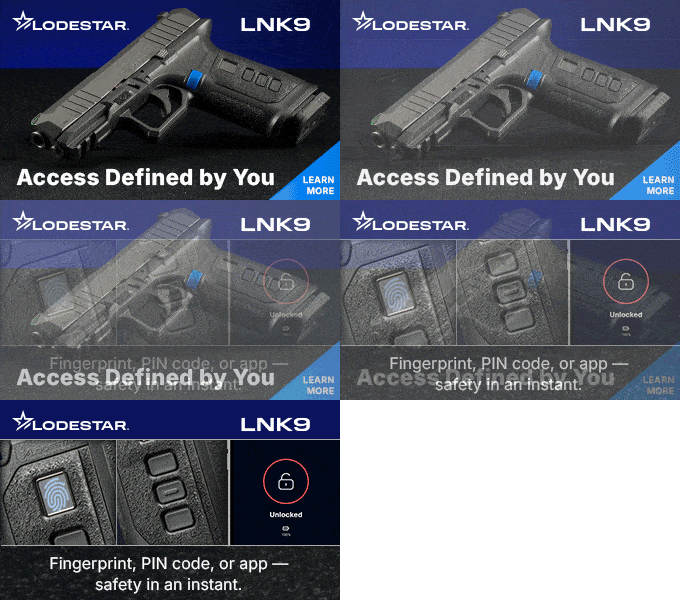
In the world of modern firearms, there exist many options. You may choose to shoot “old school” with iron sights, or start adding options that include optics and accessories to enhance your shooting experience, and in some cases, your skill. If you decide to invest in a Lodestar Technology LNK9 for personal defense, the learning curve (which is not steep by any means) will include discovering what the gun is telling you by its various lights on the charging pad and at the bottom of the grip.

The lights on the grip are called InfoLights, which are LED lights that indicate whether the firearm is ready to fire, along with other information – such as charging status and authentication attempts. The lights work in tandem with the control unit that is embedded in the grip frame. They are easy to see, and if you understand what they mean, it’s up to you to decide to deploy the gun, if desired.

As a refresher, I previously wrote about meeting Ginger Chandler, the designer of the LNK9, in this post, “Ginger Chandler: The Journey to Making a Personally Authenticated Gun.” Since the publication of that post, Ginger and a crew from Lodestar, including Kie Wagner, of MBT Marketing, ventured over into my neck of the woods in Missouri, to spend time on the range with me in June.
The LNK9 is a personally authenticated gun, meaning it only will react to the fingerprints and PIN that you enter into the system. After adding my fingerprints to the guns that Ginger brought with her from headquarters in Chatanooga, we headed out to throw some lead downrange. We practiced front sight drills, and shot some steel at 25 yards. As with my last trip out, I remained impressed with the accuracy and balance of this design. Also, Ginger is a good shot, and a great range companion.

However, if you choose to trust the LNK9, it is imperative that you understand what’s happening when it “talks” to you through its lighting system. At times, Ginger would ask me to lock the gun, and then unlock it using either prints or PIN. All the guns worked perfectly with multiple fingerprints enrolled in their systems.

First of all, you’ll need to understand what’s happening with the lights on the charging pad. This is the first experience with LNK9 lights that you’ll have. The lightweight pad comes already attached to the gun in the box, and you’ll need to ensure that you plug it in and connect the firearm to it right away.

You then need to download the Lodestar app to your phone, and create an account. Work through the easy-to-follow steps on the app to select the charger and follow the prompts. At this point, you’ll connect to your chosen Wi-Fi source. You’ll then go to the charger itself, and press the box with the Wi-Fi symbol until the LED next to the charging port turns solid blue. Go back to the app and hit “start connection,” and then that LED on the charger will turn green. You will only have to add a Wi-Fi source one time, unless you totally reset your app. The installation will only take a few minutes, and reminded me of what it’s like to create an account and set up an app on my phone, such as my Apple air tags.


You’re ready to move onto the gun. The firearm itself comes with an LED light on the bottom of the grip. These are the colors that will appear to inform you about real time information about the gun. Here’s what the colors signal:
Lodestar Technology included a page dedicated to discovery videos that cover everything from how to order and unbox, to how to set up the app and firearm, to how to clean it.

Lodestar Tech also offers premiere customer support, with no question considered too silly or mundane. Ginger Chandler wants everyone who purchases this firearm to know there is a team standing behind the product, ready to help you use this tool for personal defense when you need it.

I know several women who are keenly interested in how they could use a “biometric,” or personally authenticated gun. These women usually have homes where small children are present or visit, or they might have a family member with a mental illness or an elder parent with dementia. They definitely would rather have a firearm nearby that they can quickly access, than one in the safe somewhere that they have to run to and retrieve. If they are willing to learn the light system, and follow through with training – as you would for any firearm, especially for personal defense – I am confident that they will agree that the lights go hand-in-hand with the process of deploying this tool in time of need.
Visit Lodestar Technology to learn more about the LNK9.

Publisher/Editor Barbara Baird is a freelance writer in hunting, shooting and outdoor markets. Her bylines are found at several top hunting and shooting publications. She also is a travel writer, and you can follow her at https://www.ozarkian.com. View all posts by Barbara Baird